2.4 KiB
Executable File
You can use this module to keep an eye on the development of the size of your Odoo instance over time. Every day, a snapshot will be taken with the full size of the database and the attachments. You can query these daily snapshots, and you can compare the current size with a size at any date of the past for which there is data.
Enable debug mode, then go to menu Settings -> Technical -> Database Size.
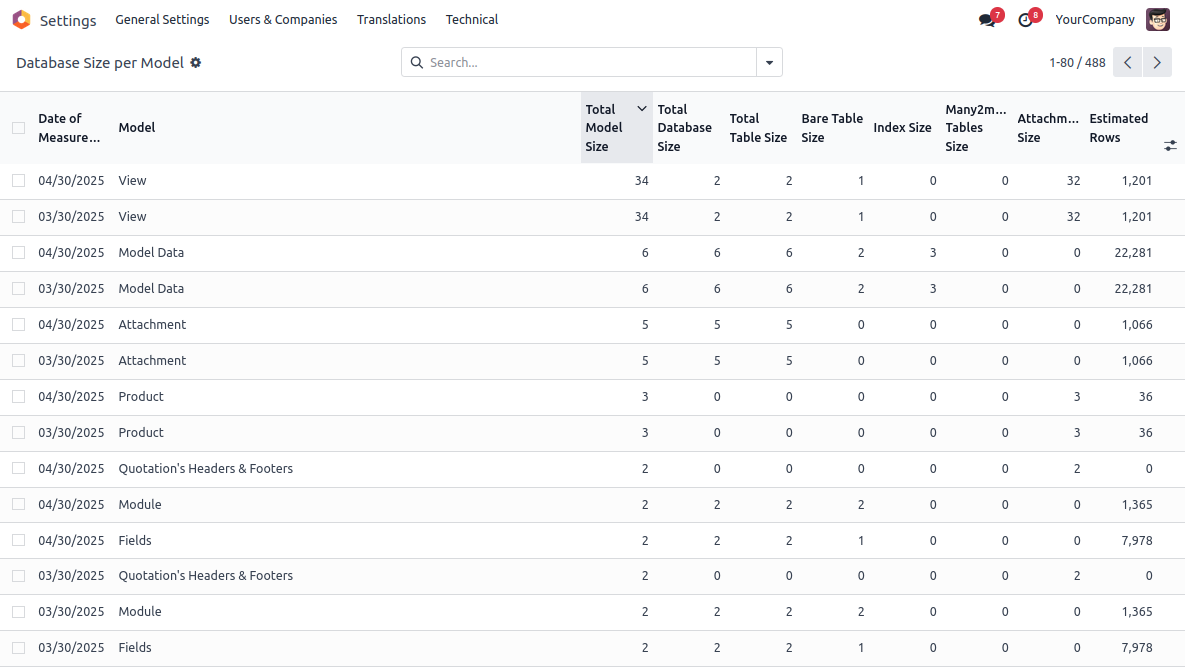
The data that is gathered and that is displayed are:
- Model Name - The name of the model to which the data is related
- Estimated Rows - The number of estimated rows according to the Postgresql query planner. For performance reasons, taking the data from the planner is preferred over doing an actual count, although the results may be imprecise.
- Bare Table Size - The disk usage of the model table without indexes etc.
- Index Size - The disk usage of the indexes in the model table.
- Many2many Tables Size - The disk usage of related many2many tables, including their indexes. To prevent double counts, many2many tables are only correlated with one of their tables (the largest of the two).
- Attachment Size - The disk usage of the attachments linked to the model records. Because Odoo will deduplicate attachments by content, attachments with the same content may be counted double in the attachment size of other models, but will not be counted double when linked to records of the same model more than once.
- Total Table Size - Bare Table Size + Index Size
- Total Database Size - Total Table Size + Many2many Tables Size
- Total Model Size - Total Database Size + Attachment Size
If you click on individual records, you can inspect the sizes of each index and many2many table.
All sizes are in megabytes.
In the 'Compare Size per Model' report view, you can find these data twice: once for the selected measurement date (default: today), and once for the selected comparison date (default: one month ago).
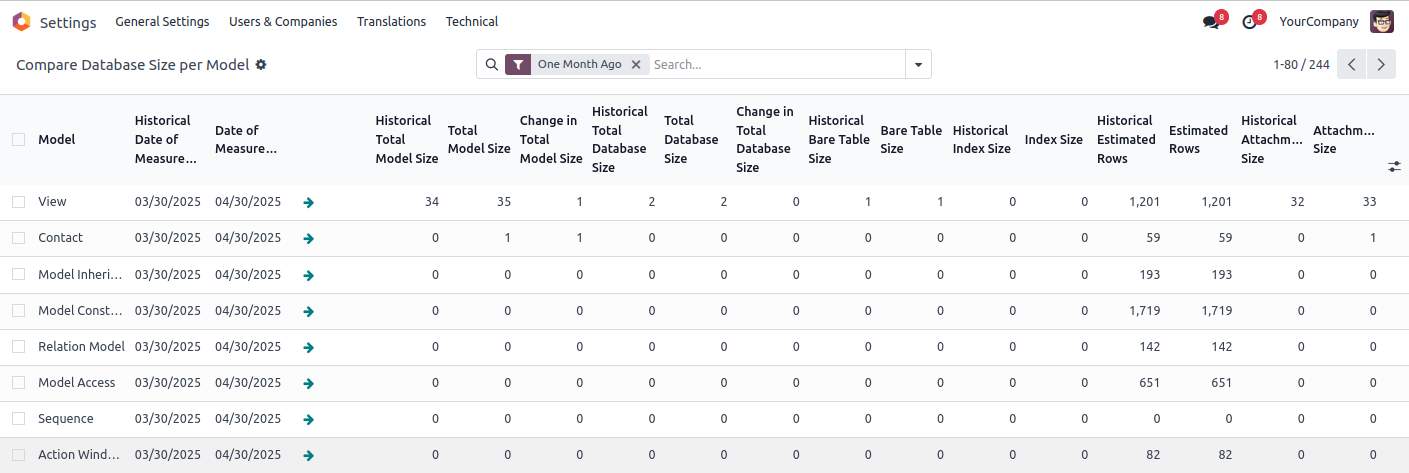
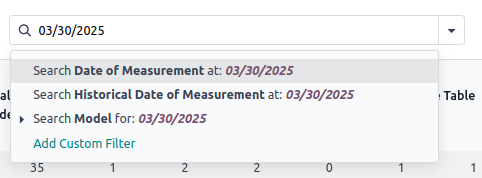
If you want to compare arbitrary dates, you can start typing the date in the search box. Be sure to enter the dates in the right format for your localization.